Run labs
Configuration Studio
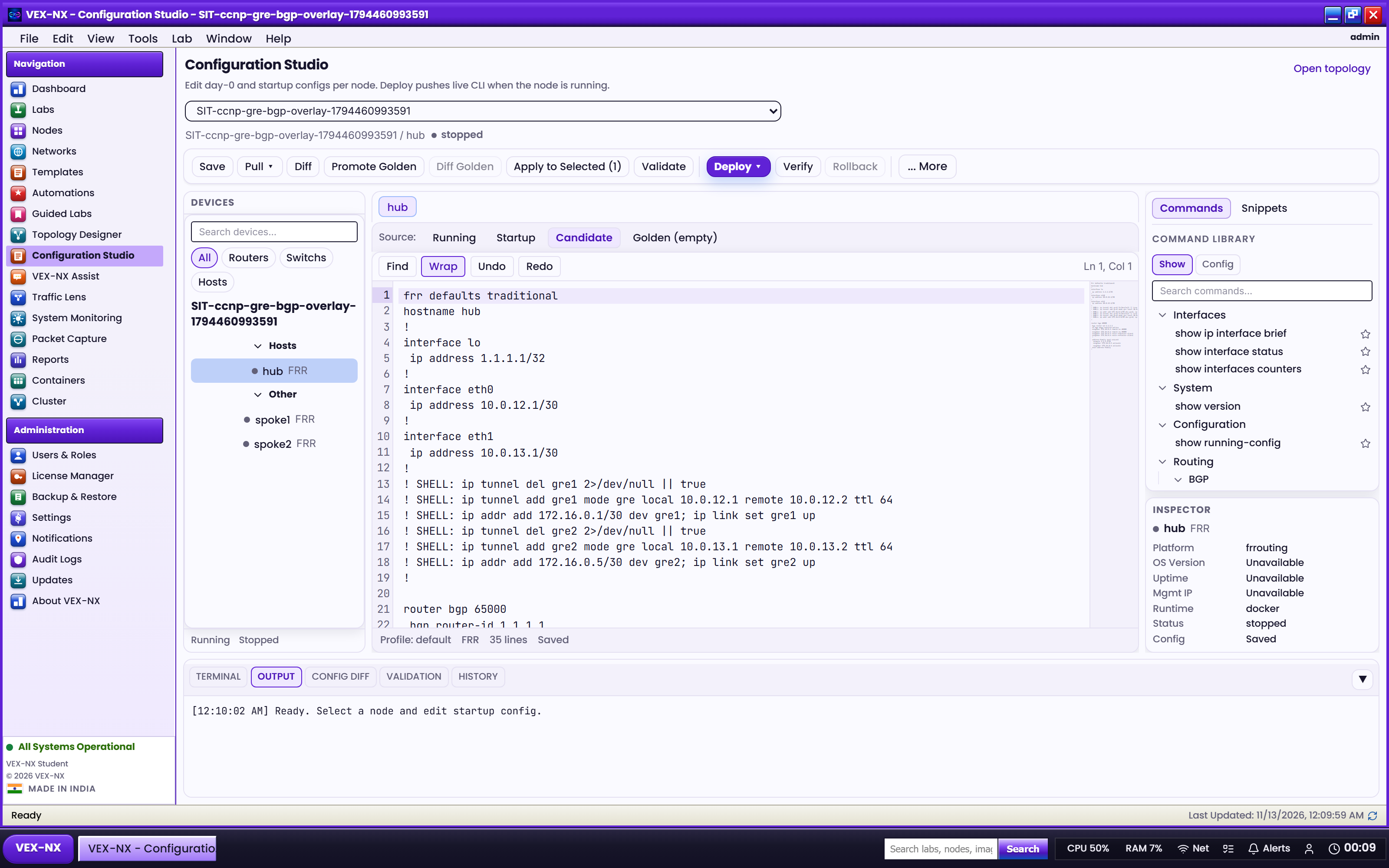
Edit running, startup, candidate, and golden configs for one or many nodes, then validate, diff, and deploy without leaving the studio.
Goal
Edit running, startup, candidate, and golden configs for one or many nodes, then validate, diff, and deploy without leaving the studio.
Open it
- From the OS sidebar / app launcher open Configuration Studio, or
- From a lab workspace use ScriptPad / config actions that deep-link into the studio for the active lab
Pick the lab in the studio header if more than one lab exists.
What you get
| Surface | Use it for |
|---|---|
| Node tree | Spines / leafs / borders / hosts grouped for multi-select |
| Views | Running, startup, candidate, golden |
| Editor | Per-node tabs with syntax-friendly editing |
| Diff | Candidate vs running / golden comparisons |
| Validation | Studio checks before push |
| History | Restore earlier config snapshots recorded in the studio |
| Terminal dock | Live CLI pull / show / push helpers on supported platforms |
| Assist panel | Draft or explain config when OpenRouter is configured |
Recipe: pull, edit, deploy
- Select one or more running nodes
- Pull running (or open startup / golden)
- Edit the candidate view
- Run Validation and review Diff
- Deploy / push live (confirm the dialog). Optionally verify or save as post-action when offered
Expected: candidate becomes live on the guest (or a clear error if the runtime / credentials cannot push).
Related
- Operate and consoles (ScriptPad / Wipe day-0)
- Automation Studio
- Using Assist
- Features