Build labs
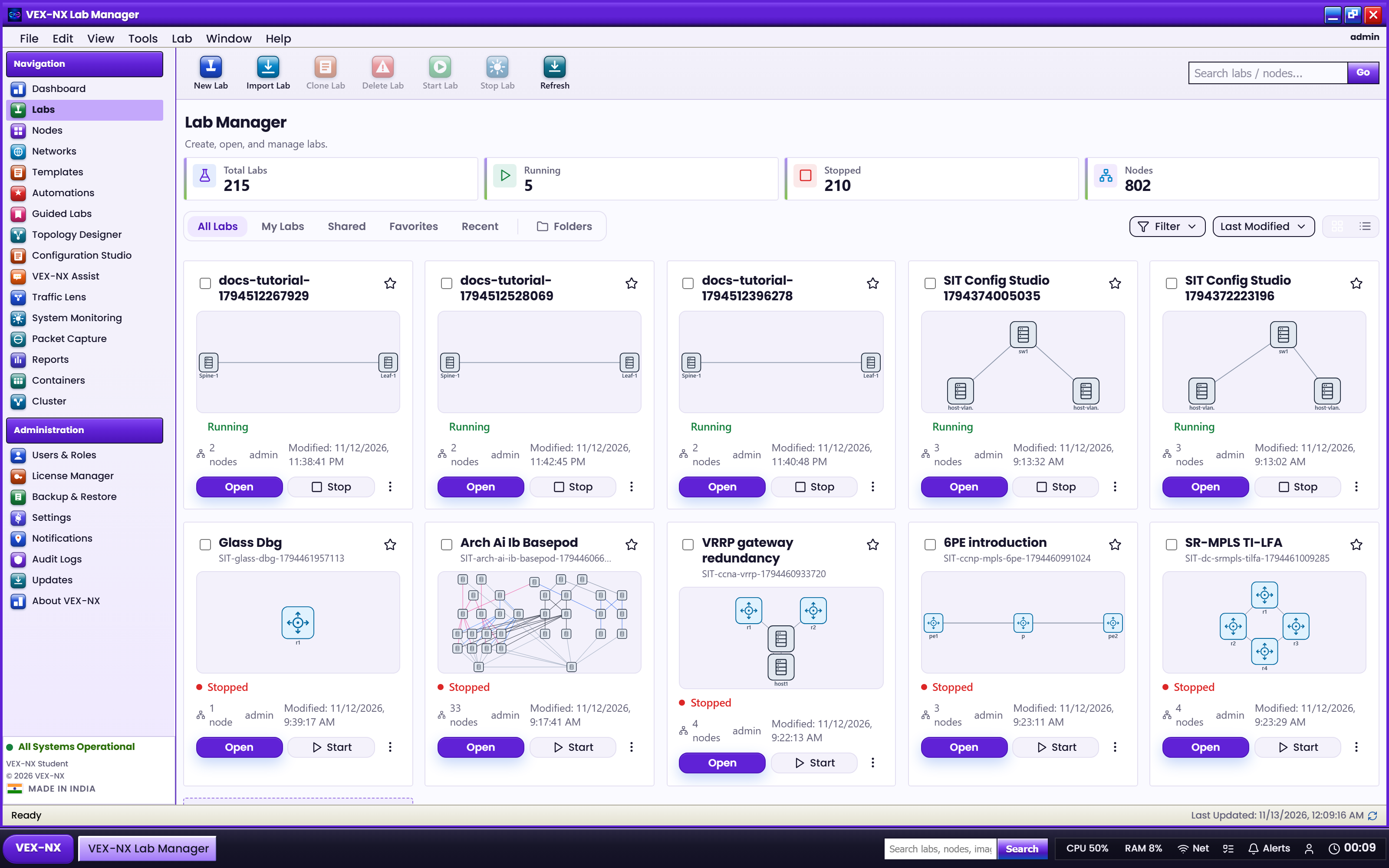
The Labs page
Use the Labs page as the hub for every way to create or open a topology.
More visuals: Labs and Guided Labs.
Goal
Use the Labs page as the hub for every way to create or open a topology.
What is a lab?
A lab is one practice or demo environment on this appliance: routers, switches, PCs, and clouds linked on a canvas. VEX-NX does not give you one fixed network. You create labs so you can:
- Learn routing and switching without touching production
- Rehearse a customer design before a change window
- Teach the same topology every semester
- Demo a feature in Present mode
GUI tutorial
Step 1 - Open Labs manager
- Sidebar -> Labs
- Scan cards or list: status, node count, Open
| What you see | Lab cards / table |
| Expected | Open, create, and filter actions are visible |
Step 2 - Pick how to create
| Button | Screenshot path |
|---|---|
| Create blank lab | Create blank lab |
| Generate Lab | Generate Lab |
| Migrate Lab | Migrate Lab |
| Import Lab | Import Lab |
| Guided Labs | Guided Labs |
Step 3 - Open a lab into Design / Operate

- Click Open on a card
- Use Design / Operate / Visualize on the workspace bar - Toolbars and More menu
Toolbar (left to right)
| Button | When your situation is... | Why this button exists |
|---|---|---|
| Generate Lab | You already have device show run / running-config text | Builds devices (and often links) from configs so you do not retype everything |
| Migrate Lab | You have a ZIP with a .unl topology from another lab tool | Brings the topology over; you map templates and images |
| Import Lab | You exported a pack from another VEX-NX (*-vex-nx-lab.zip) | Faithful restore of maps, overlays, configs, and guide |
| Guided Labs | You are learning and want a ready lesson | Topology + configs + guide already written |
| Create blank lab | You want an empty canvas | Full control; nothing pre-built |
Decision story (Sam)
Sam has never used VEX-NX.
- Day 1: Guided Labs Bronze Foundations - learn Start and Terminal.
- Day 2: Create blank lab - redraw a textbook figure.
- Day 3: Colleague sends
show run- Generate Lab.- Day 4: Old UNL homework ZIP - Migrate Lab (images imported first).
- Day 5: Classroom server - teacher's
*-vex-nx-lab.zip- Import Lab.
Your labs table
| Column / action | Meaning |
|---|---|
| Name (link) | Opens the lab workspace |
| Nodes / Links | Size of the topology |
| State | Active if any node is running; otherwise Stopped |
| Edit | Rename or change description without opening the canvas |
| Delete | Remove the lab (frees that lab's runtime data) |
Empty list tip: create a blank lab, use Generate Lab, or open Guided Labs.
Expected result
- You can name which toolbar button matches your files or skill level
- Your labs appear in the table and open into Design / Operate
If it fails
- Licence or quota exceeded -> ask an admin, or stop other labs (Users, roles, and quotas)
- Wrong ZIP type -> see Migrate vs Import pages below
Next
- Create blank lab
- Generate Lab
- Migrate Lab
- Import Lab
- Guided Labs