Administration
In-place updates
Apply a VEX-NX update package on a running appliance without reinstalling the OVA or USB image.
Goal
Apply a VEX-NX update package on a running appliance without reinstalling the OVA or USB image.
Why patches exist
Full media upgrades are still used for major OS / disk layout changes. Most product fixes (API, web UI, helpers, templates) ship as a versioned update package so labs, images, licences, and settings stay in place.
Cumulative packages (recommended)
Customer packages look like:
vex-nx-2.0-update9-amd64.vxp
One cumulative package installs from any supported baseline (for example factory 2.0, 2.0 Update 1, 2.0 Update 4, or 2.0 Update 8) directly to the target (for example 2.0 Update 9). You do not need intermediate packages.
Older hop packages may still use:
vex-nx-<from>-to-<to>-amd64.vxp
Prefer complete packages (API + web UI + templates + updater) for classroom upgrades.
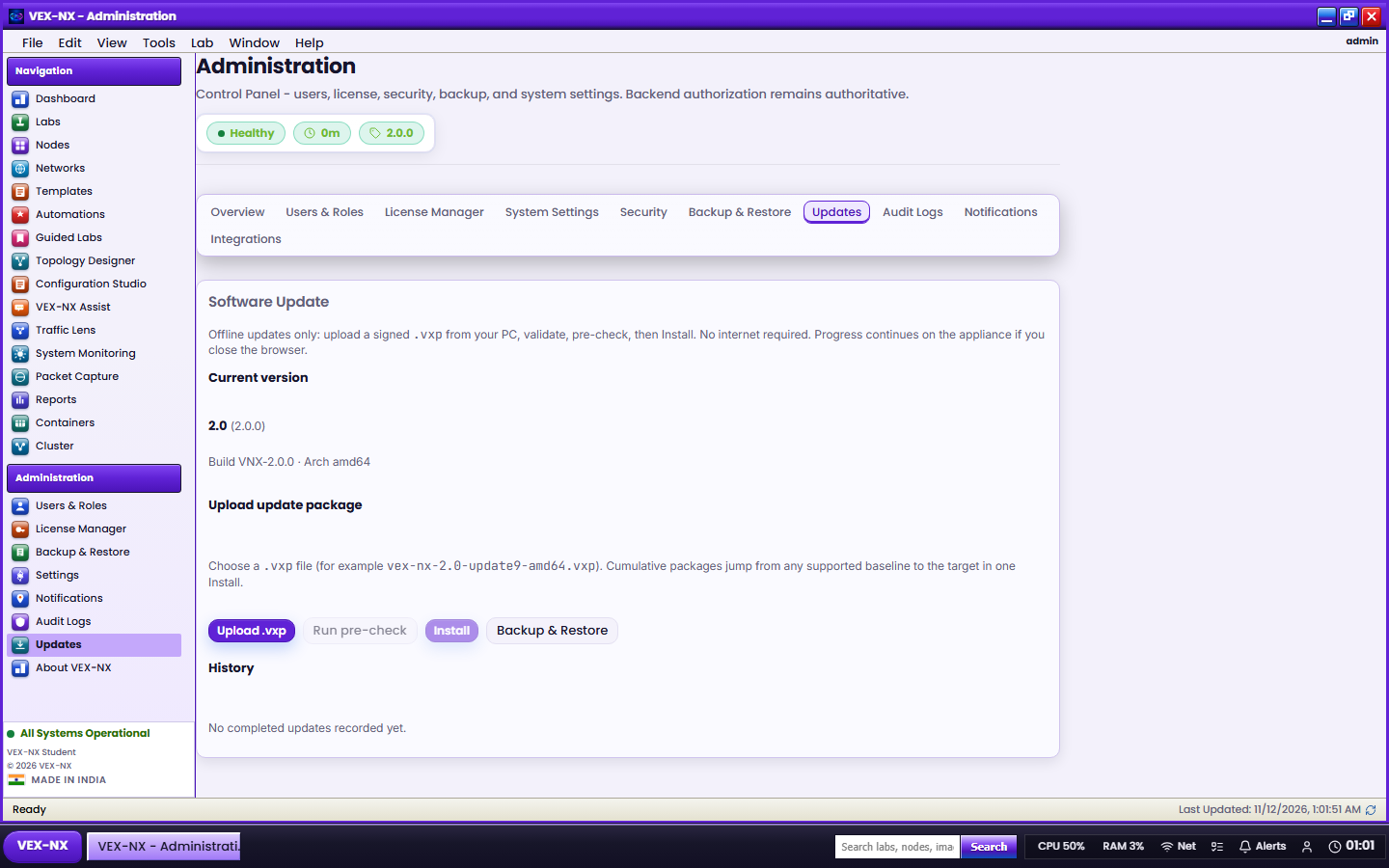
Recipe: Admin GUI (offline upload)
- Sign in as admin
- Open Administration -> Updates (or Help -> Check for Updates)
- Upload .vxp and wait for validation (cumulative summary shows included updates)
- Run pre-check (disk, signature key, upgrade path)
- Confirm the checkbox, then Install
- Watch progress stages and log; you may close the browser - the job continues on the appliance
- After completion, review Post-upgrade health; reboot if the package requires it
Recipe: CLI
- Copy the
.vxpto the appliance (SCP asvexnx) - SSH in and run:
sudo vexnx-update verify /path/to/package.vxp
sudo vexnx-update apply  /path/to/package.vxp
sudo vexnx-update status- Confirm Home / Host pulse shows the new version (
X.Y Update Zwhen Z > 0) - Spot-check Images -> Compatibility and one Guided Lab Start
Bootstrap note (older OVA baselines)
Some older OVA baselines did not ship /usr/local/sbin/vexnx-update. If verify is missing, install the updater from your vendor instructions for that jump, then run verify / apply as above. Later packages usually refresh the updater as a payload.
Online check
Check for updates queries the configured update server (https://updates.vex-nx.com by default). When the server is unreachable, use Offline Update upload. Auto-check is off by default under Update settings.
Recipe: rollback
sudo vexnx-update rollbackOr use Administration -> Updates history context / CLI with a named package id when your vendor documents one.
What is preserved
Labs, Library images, licence files, users, Assist settings, and cloud / management network config are not replaced unless a package migration explicitly lists them.
What still needs full OVA / USB
Kernel / KVM stack, Docker engine major upgrades, disk repartition, first-boot identity, or when release notes say "full media required".
Security notes
- Apply only packages from your vendor
- Customer appliances verify package signatures with
/etc/vex-nx/update/public.pem(installed with the OVA) - Do not use
VEXNX_UPDATE_ALLOW_UNSIGNED=1on production classroom hosts
Developer pack recipe
.\scripts\build-vexnx-update.ps1 -FromVersion 2.0.0 -ToVersion 2.0.9 `
  -Cumulative -CompatibleFrom 2.0.0,2.0.1,2.0.4,2.0.8 `
  -ApiBin dist\pram-api -WebDir apps\web\dist -TemplatesDir templates `
  -SigningKey deploy\update\private.pem -RequireComplete

.\scripts\verify-vxp.ps1 -Package release\updates\vex-nx-2.0-update9-amd64.vxp -InstalledVersion 2.0.4
See deploy/update/README.md for signing key placement.