Assist and automation
Automation Studio
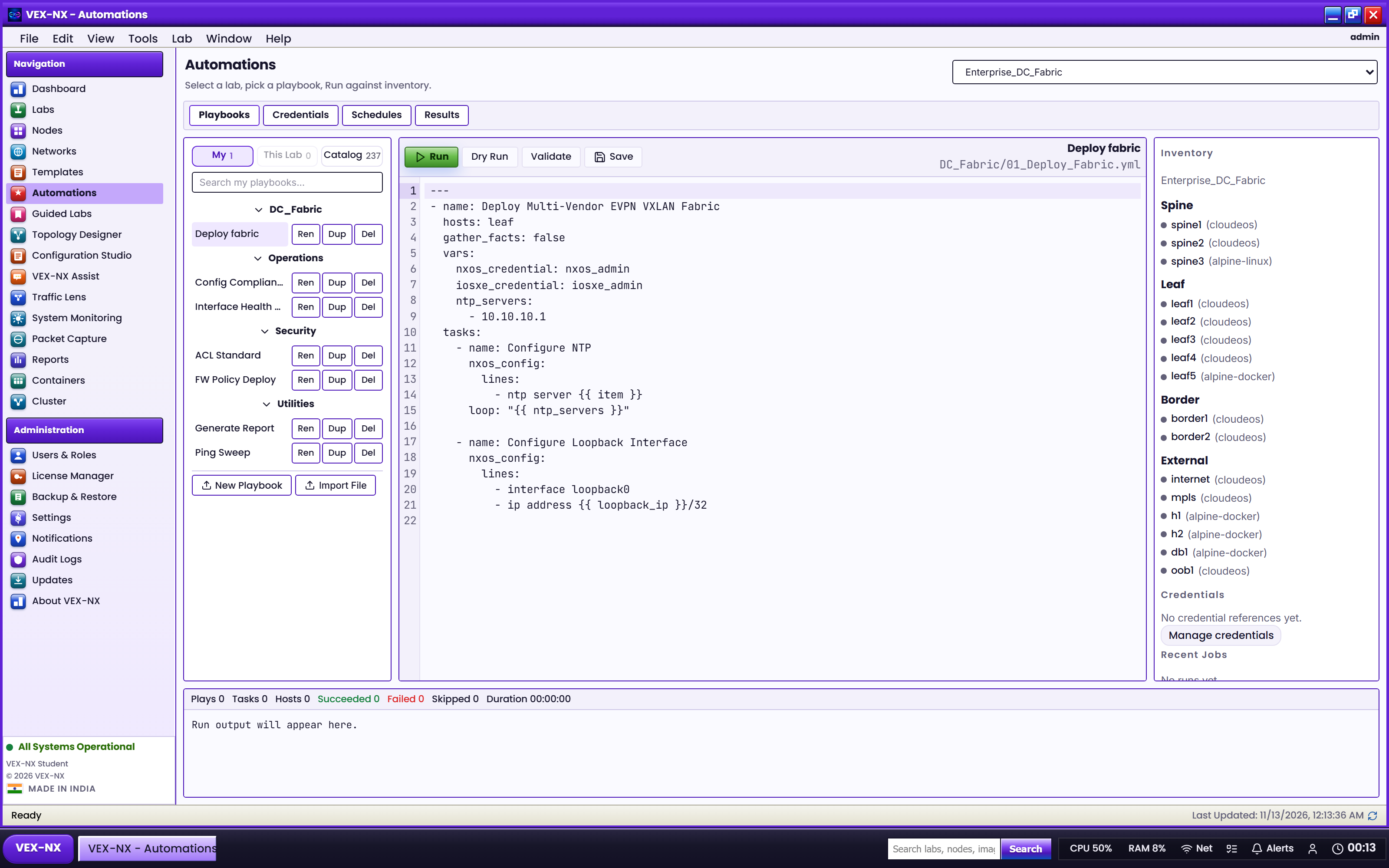
Run playbooks against lab inventory (spine / leaf / border groups), including Guided Lab solution playbooks and scheduled runs.
Goal
Run playbooks against lab inventory (spine / leaf / border groups), including Guided Lab solution playbooks and scheduled runs.
Open it
- Open Automation Studio from the OS app launcher, or
- From a lab, open the in-lab Automation panel locked to that lab
What you get
| Surface | Use it for |
|---|---|
| Playbook tree | DC fabric starters, Guided_Labs catalogs, your saved YAML |
| Inventory | Auto groups from node names / roles |
| Editor | Edit playbook body; secrets are redacted in run logs |
| Run | Apply / show / validate steps against matching hosts |
| Schedules | Cron-style enable/disable with last / next run stamps |
| Credentials | Named platform credentials for device access |
Recipe: run a fabric playbook
- Select the lab
- Open a playbook (for example
DC_Fabric/01_Deploy_Fabric.yml) - Confirm inventory groups match your node names
- Click Run / Play and watch the output dock
- Fix failed hosts from the console or Config Studio, then re-run
Guided Labs can seed Guided_Labs/... playbooks (apply startup, validate, checkpoint checks). Prefer those when teaching a packaged scenario.
Related
- Configuration Studio
- Guided Labs
- Features